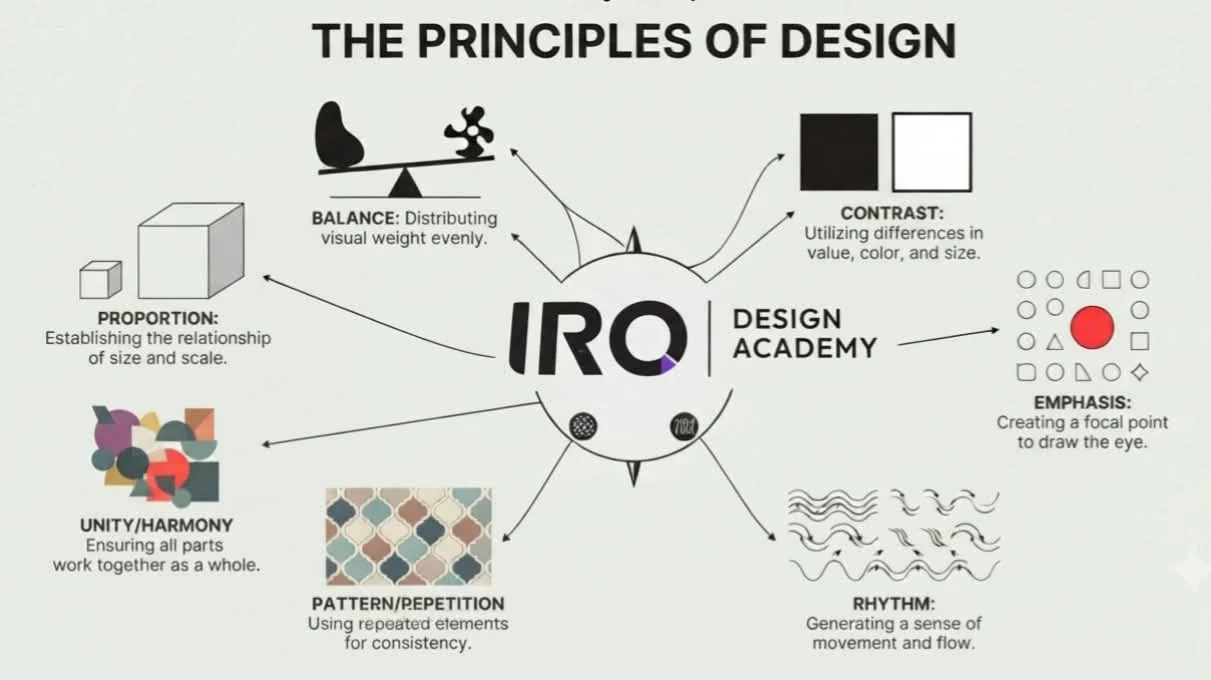
Many people think design is all about creativity, but effective graphic design requires more than simply combining colors and typefaces. Without proper structure and balance, a design can look confusing or ineffective. This is where the Principles of Design come in. Also known as the Principles of Visual Art, they are guidelines used to organize visual elements and create balanced, clear, and effective compositions that communicate a message to the audience.
Principles of Design when successfully combined with the elements of design allow the designers to create aesthetic work of art and should be keep in mind when working with visuals and creating graphics. In this blog, we will discuss about 7 basic principles of design that will make your next project stand out. These 7 major principles of designs are:-
Now let us discuss all the principles of design in detail:
1. Balance and Alignment
Balance
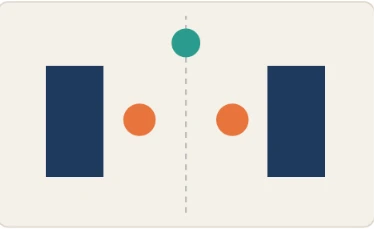
Always remember that every element you place in a design has a weight. The weight can come from color, size, or texture. The way you won’t put all your furniture in one corner of a room, you can’t crowd all your heavy elements in one area of your composition. Without balance, your audience will feel as if their eye is sliding off the page. Typically balance provides structure and stability to a design. Balance can be symmetrical (evenly balanced) or asymmetrical (un-evenly balanced).
Symmetrical Balance is often referred to as formal balance in visual images. Balance is formal when both sides are equal or in proportion in terms of arrangement.
In the above poster of “Sherlock Homes” has been made with a combination of visual elements keeping in mind the symmetry between the left and right-hand side. Design elements on the left side of the balance with right-hand side elements such as the right side of the mirror.
Asymmetrical Balance is often referred to as informal balance in visual images. Balance is considered as informal when sides are not exactly symmetrical; however, the resultant image is still balanced. Essentially asymmetrical balance is more dynamic than formal balance.
Above poster is a perfect example of “Asymmetrical Balance” because visual weight of design elements is not evenly distributed in the central axis of the page. Elements of a large black hand balanced by Flawless black text but its small size.

Alignment
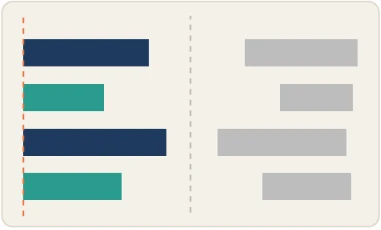
Alignment is the placement of visual elements so they line up in a composition. In design, we use alignment to organize elements, to group elements, to create balance, to create structure, to create connections between elements, to create a sharp and clear outcome.
2. Movement
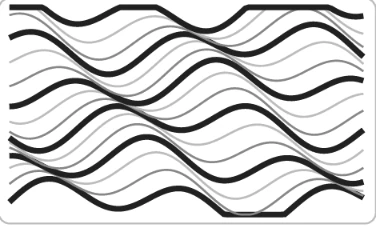
Movement is controlling the elements in a composition so that the eye is led to move from one to the next and the information is properly communicated to your viewers. It is used to guide the viewer through the piece. Lines, shapes, color, depth and hierarchy can all be used to guide the viewer from one point to the next – at a glance. Visual movement is more commonly known in the graphic design world as ‘flow’.
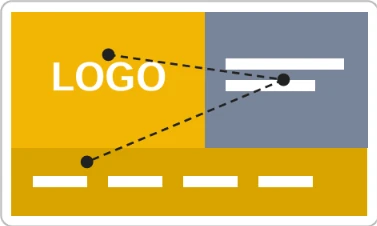
Awesome use of visual hierarchy in design 977 website and color to guide the eye. The logo, the caption and the navigation create a triangle. The large colored blocks that frame each element, lead the eye in a slight zig-zag pattern downward from the upper left corner down to the navigation.
3. Proportion
What is Proportion?
Of all the design principles, the proportion is probably the easiest to understand and implement. It’s about the size and weight of elements in relation to each other and portrays what’s important and what’s not. Elements which appear larger and heavier are more important than smaller and lighter elements.
Proportion is also the most important design principle that help to create a harmonious and balanced design. When designing, it’s important to consider the proportion of elements in terms of size and weight to ensure that the design is aesthetically pleasing and effectively communicates its intended message.
Why do we use proportion?
When you see an out-of-proportion object, it’s more likely to catch your attention!
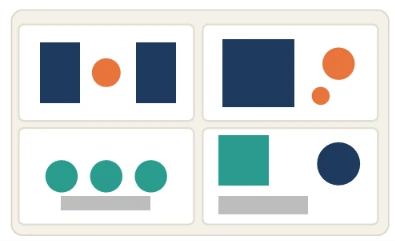
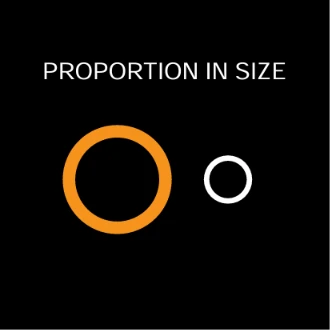
For example, the proportion in size would look something like this:
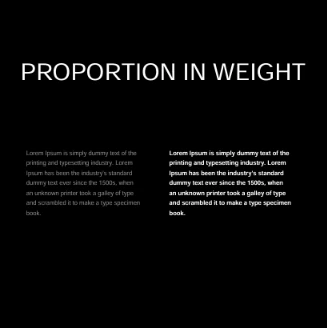
For example, the proportion in weight would look something like this:
4. Contrast
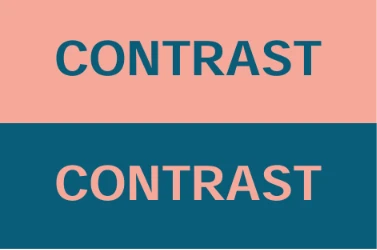
Contrast is an important principle of design because it lets you draw out the most important elements of a design and add importance. Contrast happens when two design elements are in opposition to each other, like black and white, thick and thin, modern and traditional, etc. Contrast is what helps guide the viewer’s eyes to the most important parts of your design and helps organize the information in an easy manner.
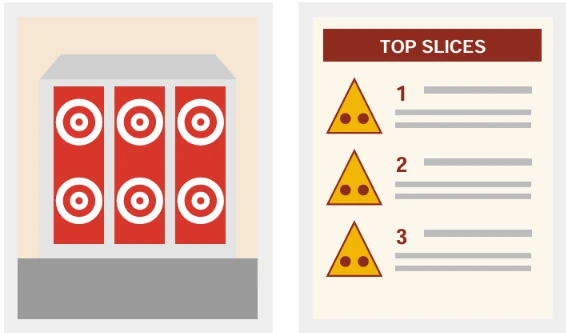
The above example showcases how texture can be used to create contrast. The boxes, lines and typeface are very clean and linear which contrasts to the organic nature of the illustrations.
5. Emphasis
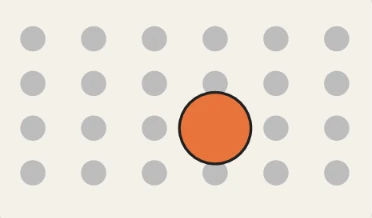
Emphasis literally means to give importance. It is a principle of design which refers to giving special importance to one or certain part of the design. The goal is to grab the attention of the audience in one go. Emphasis in an image can be achieved through contrast, placement, size, color, repetition, focal point / dominance etc.

As shown in the above example, emphasis is given on the flower to make it stand apart from the background. We can also say that to make a focus on a particular element in a design, a dark color is used to highlight the element shape in a light composition.
6. Repetition
Repetition is the reusing of the same or similar elements throughout the design. Now this is not to be mistaken for repetition of visual elements as a pattern. Visual elements as a pattern is more to do with visual style or visual artwork in an overall piece of design work.
Good design practice seeks to repeat some aspects of a design throughout a piece of simple or complex work. We use repetition to create a sense of unity and consistency throughout a design. Repetition creates a particular style, creates cohesiveness, creates emphasis, hierarchy structure and strengthens a design.
The ultimate goal of any piece of graphic design is to make an impression, hopefully a lasting impression.
If a design achieves this goal, it will be fulfilling it’s purpose to communicate and insist upon a particular message which lingers and becomes familiar.
It could be said that repetition in design is a type of brainwashing. The more we see of something the more we familiarize with it, thus remember it. Whether we like it or not, repetition is impressionable. It’s human nature to find comfort and attraction to familiarity.
7. White Space
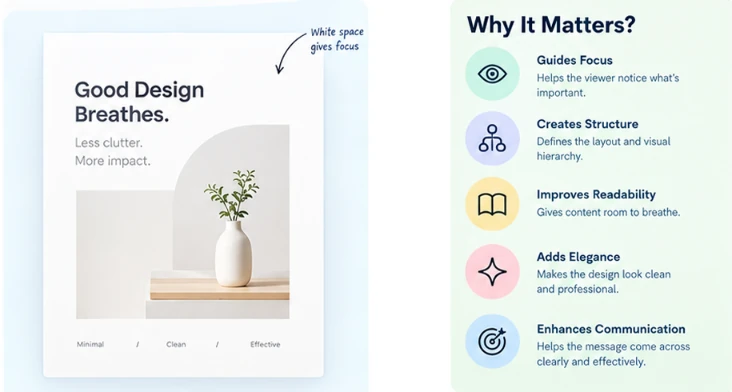
Whitespace, often referred to as negative space, is the unmarked, empty area surrounding the elements on a page. It actively guides the viewer’s focus between the content and graphic elements and defines relationships between elements. On a large scale, it sets the overall structure, while on a smaller scale, it ensures readability by spacing out text and images.
This intentional use of whitespace is like a visual breather, preventing clutter, enhancing elegance, and allowing users to focus on one idea at a time. When accurately used in design, it holds the power to create visually compelling compositions that not only look good but also effectively convey messages.
Kinds Of White Spaces
Understanding whitespace goes beyond acknowledging its mere existence; it involves recognizing its different forms and functions. Different kinds of white spaces help designers define the kind of tone they wish to set for a user interface, ensuring efficient delivery of an idea to the users.
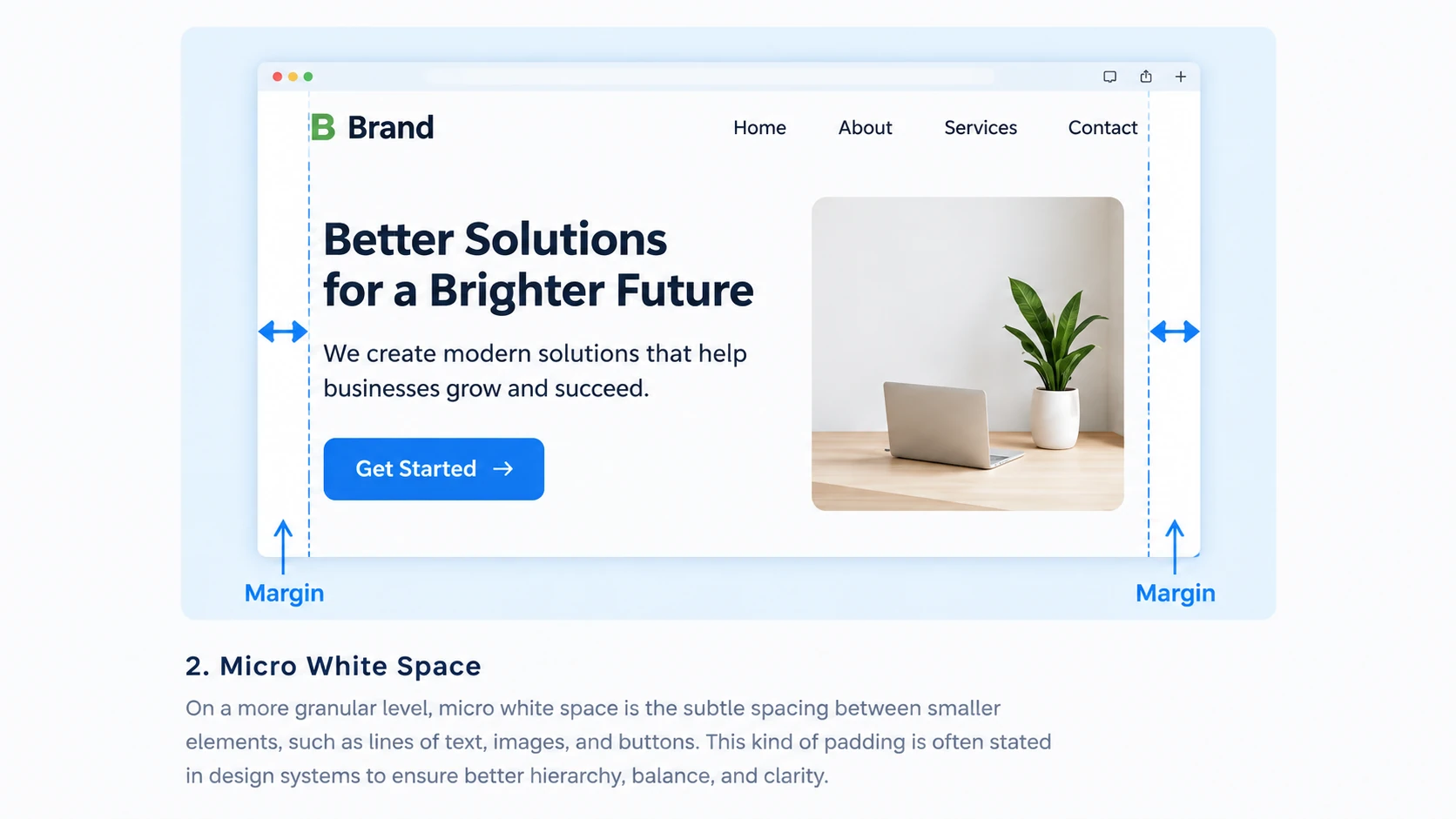
1. Macro White Space
This kind of white space refers to the spacious gaps between major design elements including components like margins, padding, and overall layout structure. It features space in between and on the right and left of most websites content blocks, giving the design a margined look.
Macro white space helps establish the overall visual hierarchy and lends a sense of openness to the design.
2. Micro White Space
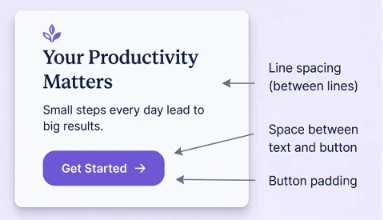
On a more granular level, micro white space is the subtle spacing between smaller elements, such as lines of text, images, and buttons. This kind of padding is often stated as rules or guidelines in a design library set at the start of the project to ensure consistency is maintained. It aids in preventing visual clutter, making content more digestible, and enhancing readability.
3. Active White Space
This is the intentional use of whitespace to draw attention to a specific element. By isolating an element using surrounding negative space, designers can highlight the importance of the element, killing any noise around it. This, in turn, helps guide the viewer’s focus to what matters most in the section of the interface.

4. Passive White Space
Unlike intentional white spaces, passive white space is naturally created in areas such as between words, line breaks, around graphic elements like logos, etc. It passively gives the user visual breaks in between the body of content on the screen.

By defining kinds of white spaces, we document the elements that together help make white spaces across interfaces. They range from smaller elements such as letter and line spacing to bigger elements such as margins, paddings, and gutters around the content.


