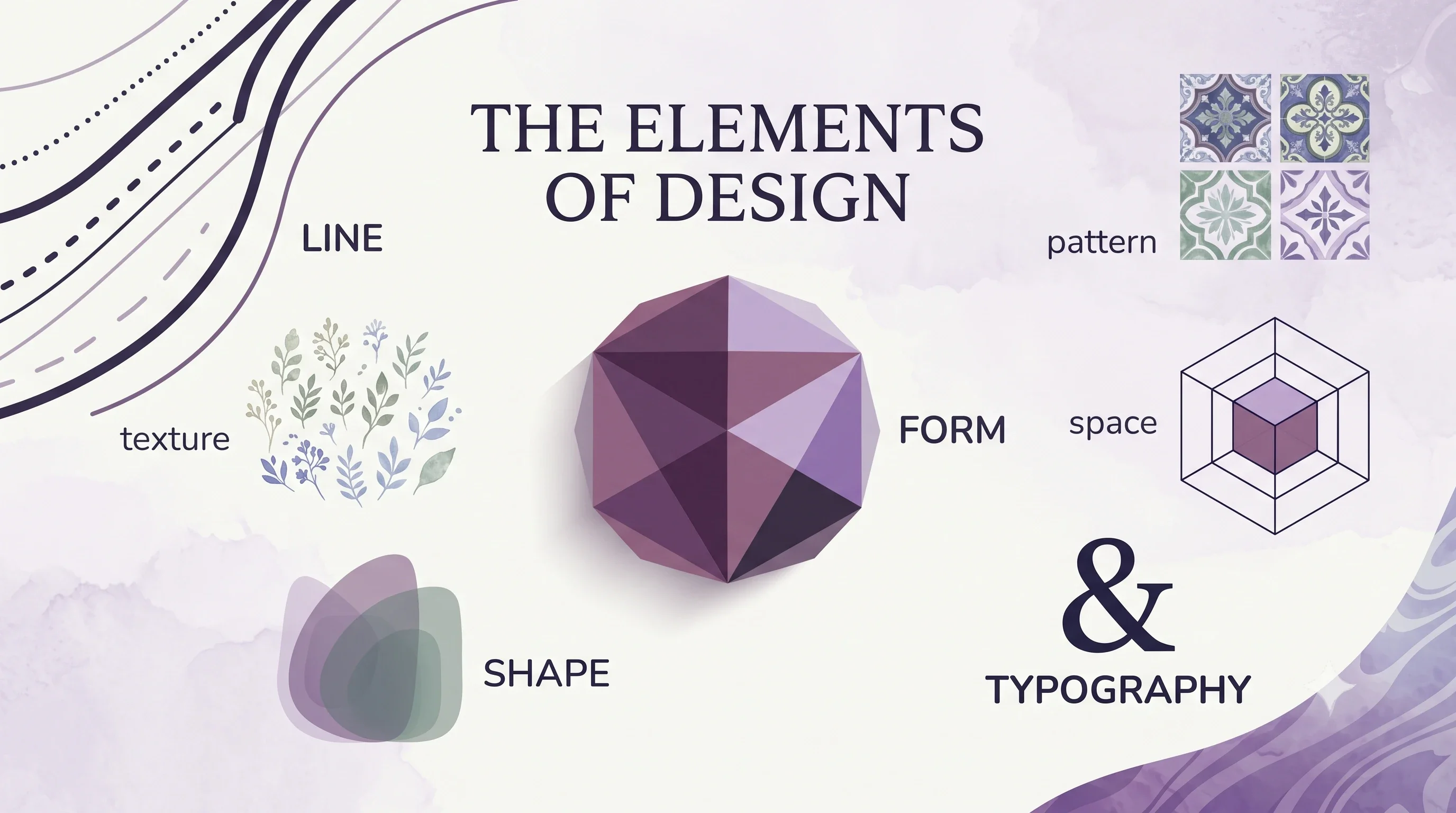
Color, line, shape, texture, pattern, space and typography are the building blocks of every visual design. Learn what each one does and how they work together.
Color
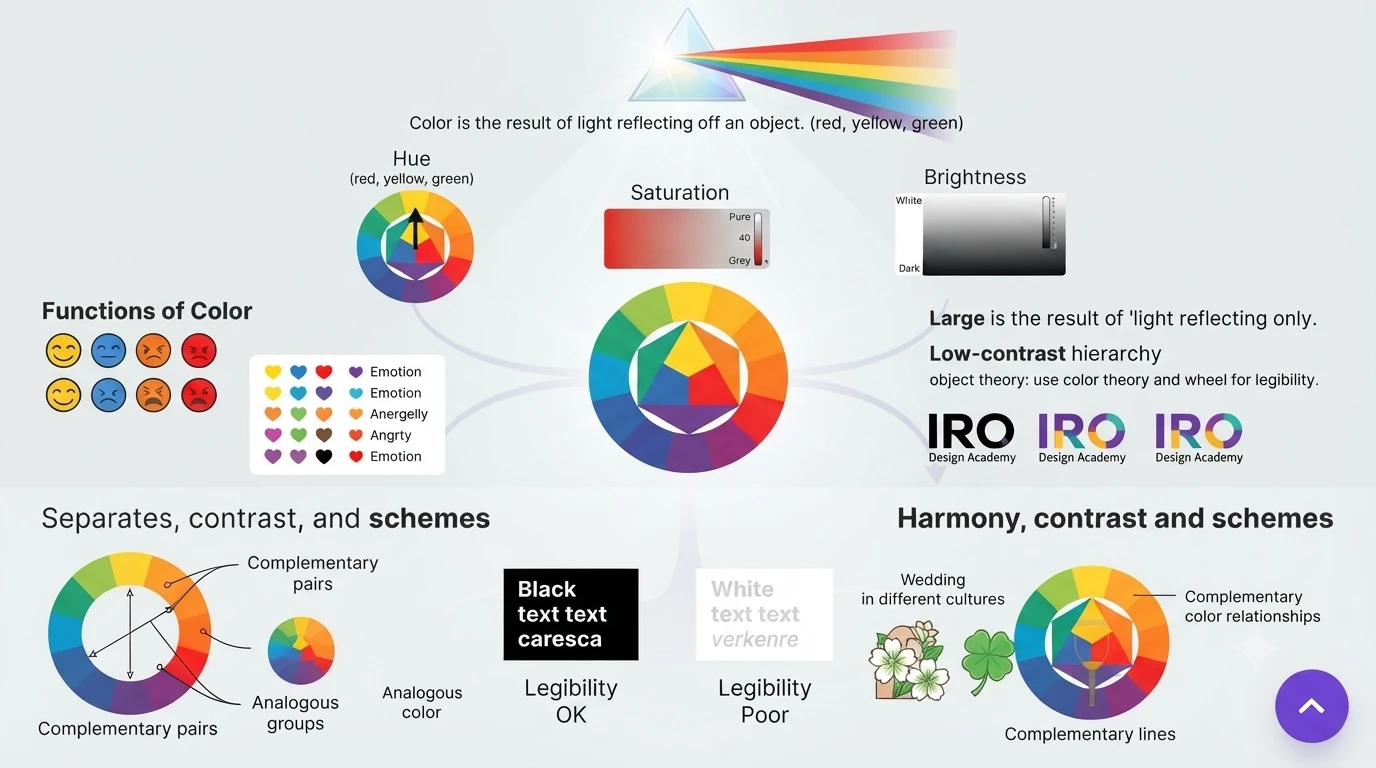
Color is the result of light reflecting off an object and back to our eyes. It works as a universal language, which is why color theory and the color wheel are the usual starting points for visual communication.
Three characteristics describe any color: hue (red, yellow, green), saturation (its intensity or purity) and brightness (how light or dark it is).
What color does in a design
- Conveys meaning and emotion
- Creates visual hierarchy
- Strengthens brand identity
- Improves readability and accessibility
- Adds visual interest and appeal
- Separates one kind of information from another
- Carries cultural and contextual meaning
Harmony, contrast and schemes
Color harmony asks which combinations look pleasing together. You can build it from colors that share a hue, or from colors that sit well together on the color wheel. Color contrast works with a pair of colors that differ in luminance or saturation. A color scheme is the set of colors you choose for a design.
Line
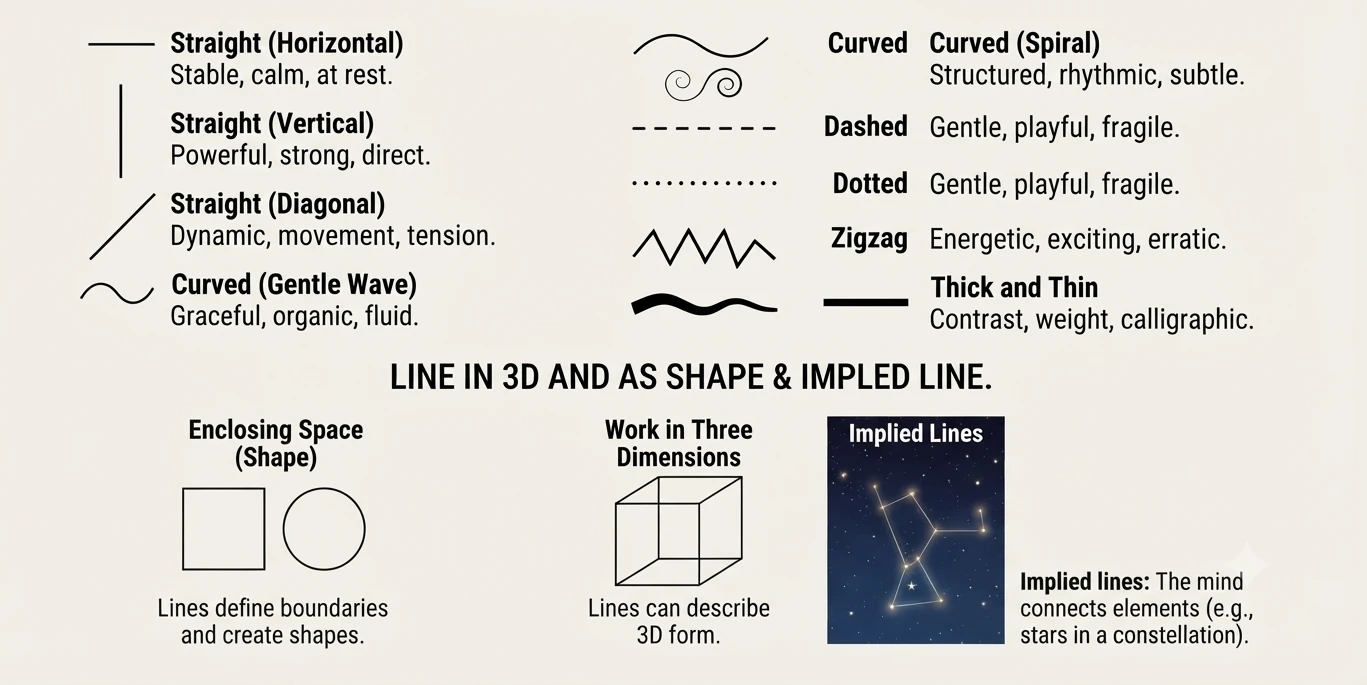
A line is a series of points, the connection between two points, or the path of a moving point. Lines are expressive: straight, curved, dashed, dotted, zigzag, thick or thin, each one sets a different mood.
Lines can enclose a space to make a shape, or work in three dimensions. They also appear as implied lines, where the eye follows a sequence of related shapes. Stars in a constellation joined by imaginary lines are a natural example.
Point
A point is the beginning of something out of nothing. Several points grouped together can lead the mind to link them into familiar shapes.
Shape
A shape is a two-dimensional area with a defined outline. A square drawn on paper is made of lines that separate it from the space around it.
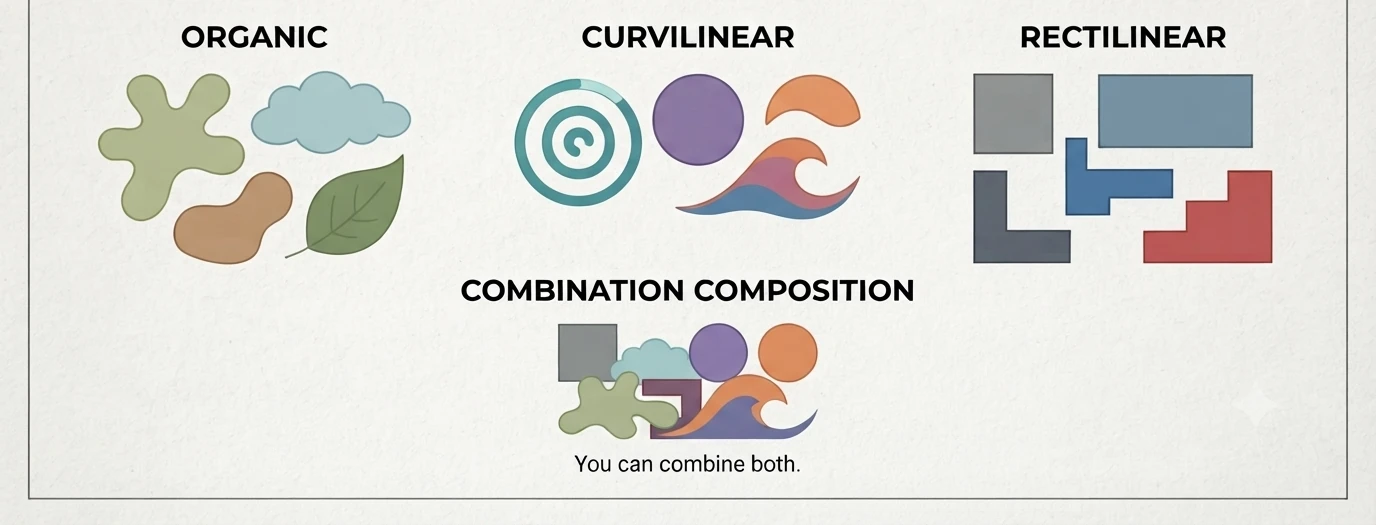
Organic shapes are irregular and resemble forms found in nature. Curvilinear shapes are built from curves and feel natural. Rectilinear shapes have sharp edges and right angles, and feel ordered and human-made. You can build a composition around one style or combine both.
Texture
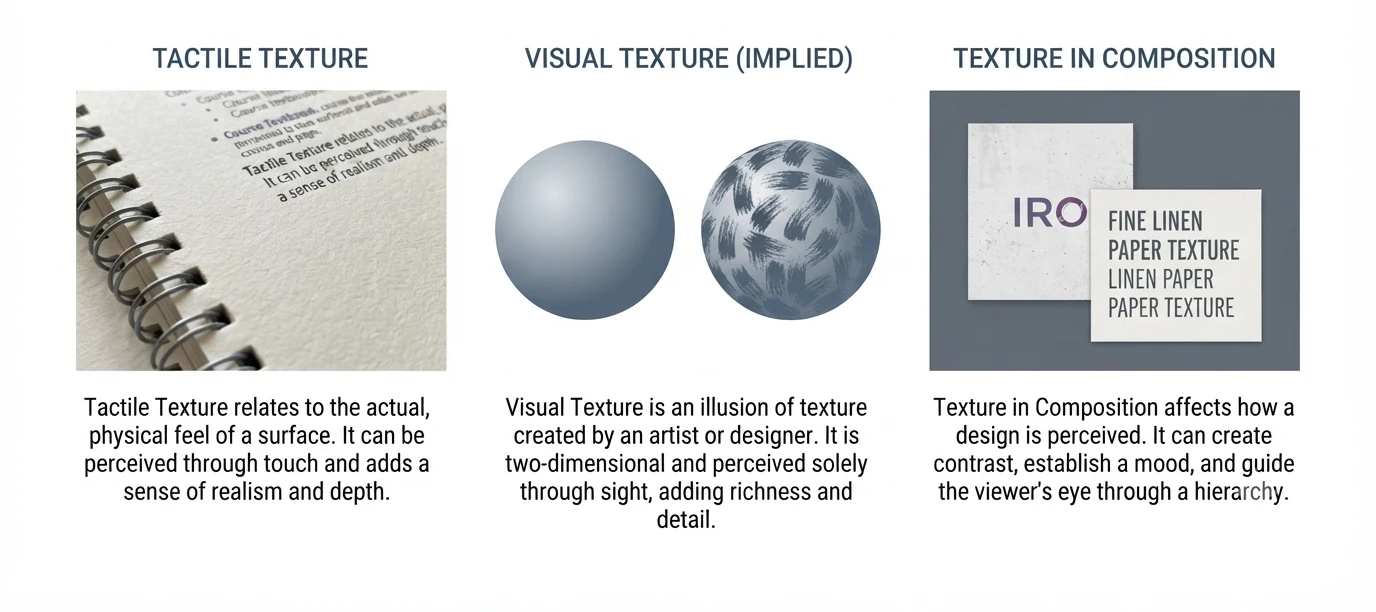
Texture is the physical or visual quality of a surface. It adds depth, realism and interest, and it helps designers set a mood or give a sense of physical presence.
Tactile texture
Also called actual texture, this is what you can feel by touch, like the ridges of a sculpture. Collage, papier collé and assemblage all create it.
Visual texture
Also called implied texture, this is the illusion of texture on a flat surface. A photo of rough bark looks rough but feels smooth. Thin, transparent paints such as watercolor suit visual texture, while thick paints like oil and acrylic build physical texture.
Pattern
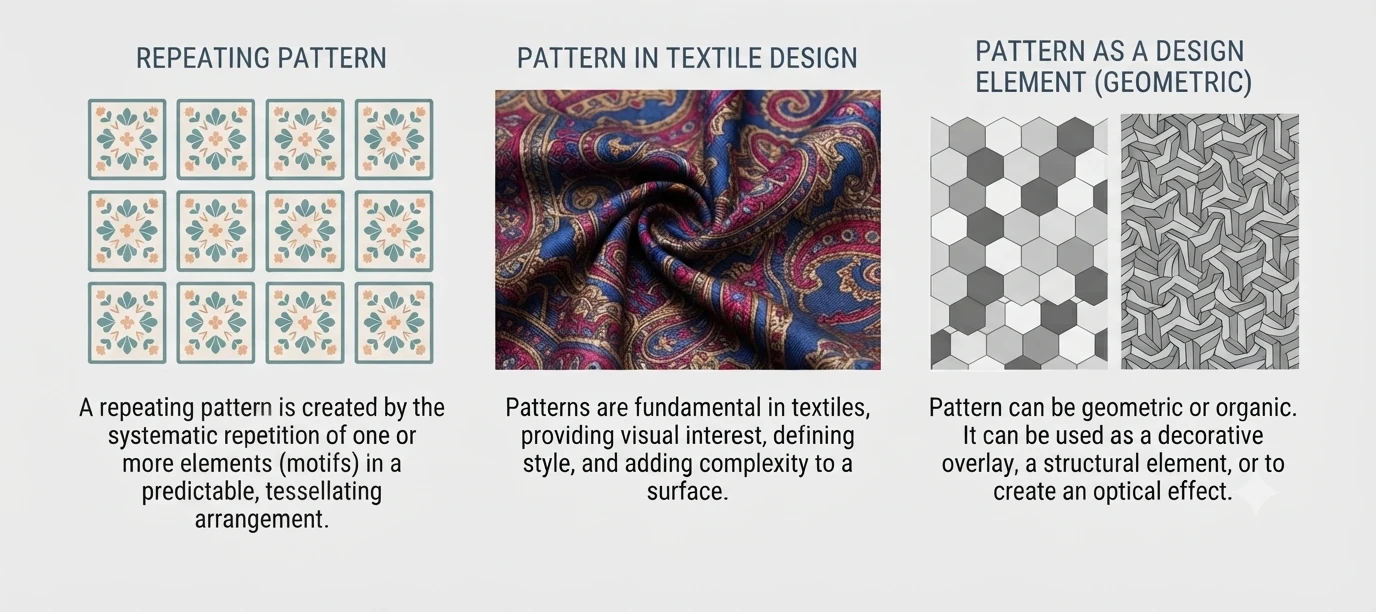
When a motif repeats across a surface, the result is a pattern. Patterns are common in fashion and textile design, in print design for packaging and stationery, and in architecture through repeated windows, columns and pediments.
- Creates rhythm and repetition
- Adds visual interest
- Builds consistency and unity
- Can communicate a theme or mood
Patterns can be simple or complex, and they help a design look organized and cohesive.
Space
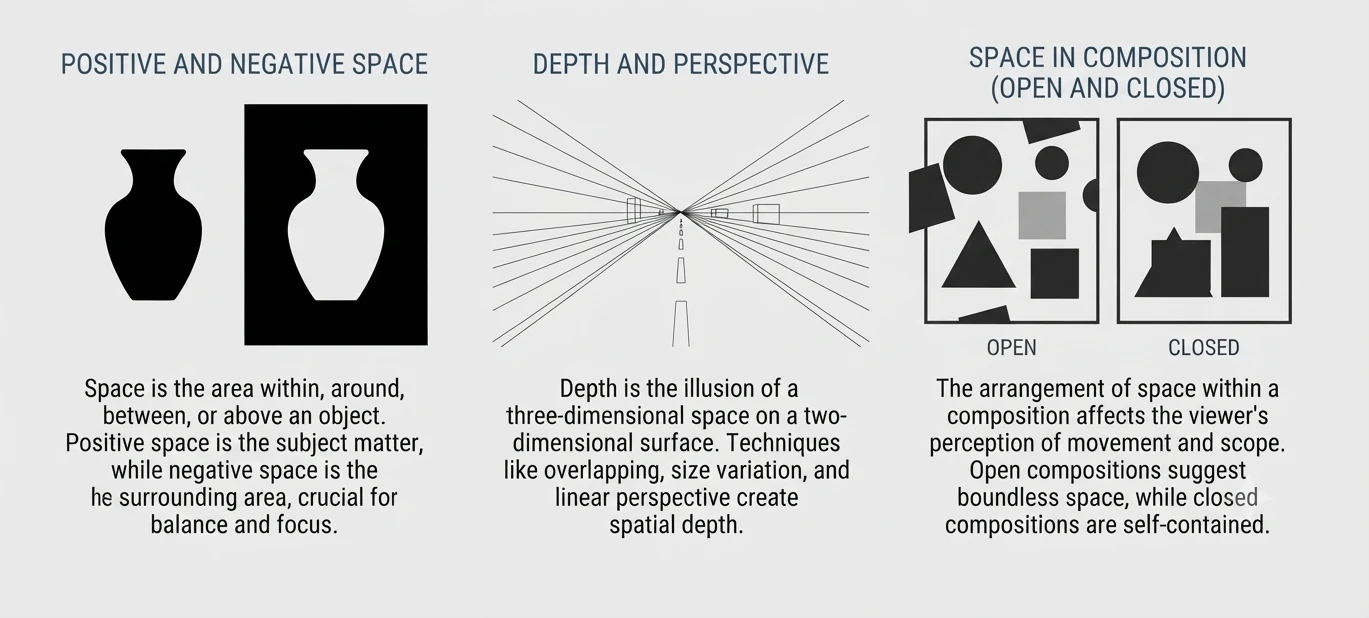
Space is the area around, within or between elements. Positive space is the subject itself. Negative space is the empty area around it.
- Creates balance and harmony
- Improves readability
- Helps visual hierarchy
- Gives the design a clean, open feel
Depending on how it is used, space can make a design feel calm, focused or dynamic.
Typography
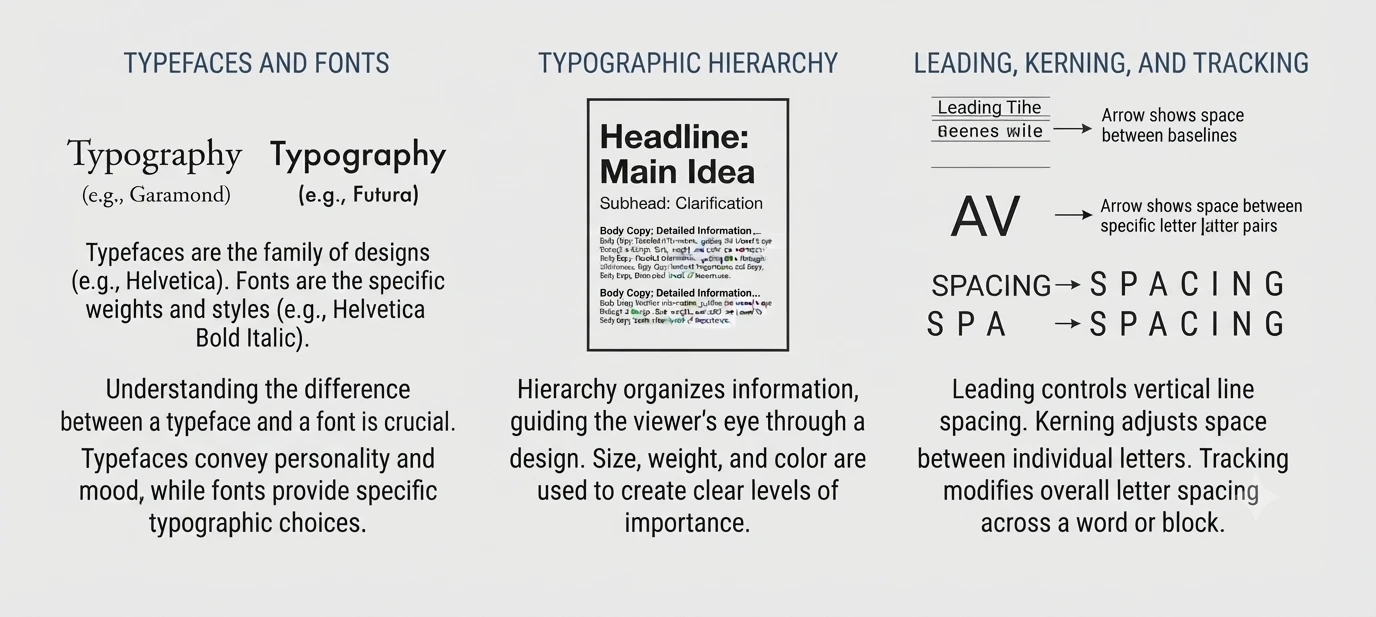
Typography is the art of arranging type so a message communicates well. Common families include serif, sans-serif, script, display and monospace.
- Conveys tone and personality
- Creates visual hierarchy
- Improves readability
- Reinforces brand identity
- Adds style and character
The right typeface sets the mood, adds emphasis and makes your message more impactful.
White Space
Whitespace, often referred to as negative space, is the unmarked, empty area surrounding the elements on a page. It actively guides the viewer’s focus between the content and graphic elements and defines relationships between elements. On a large scale, it sets the overall structure, while on a smaller scale, it ensures readability by spacing out text and images.
This intentional use of whitespace is like a visual breather, preventing clutter, enhancing elegance, and allowing users to focus on one idea at a time. When accurately used in design, it holds the power to create visually compelling compositions that not only look good but also effectively convey messages.
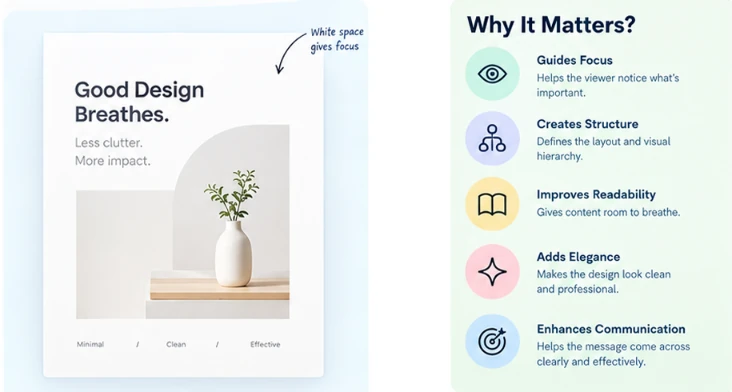
Kinds Of White Spaces
Understanding whitespace goes beyond acknowledging its mere existence; it involves recognizing its different forms and functions. Different kinds of white spaces help designers define the kind of tone they wish to set for a user interface, ensuring efficient delivery of an idea to the users.
1. Macro White Space
This kind of white space refers to the spacious gaps between major design elements including components like margins, padding, and overall layout structure. It features space in between and on the right and left of most websites content blocks, giving the design a margined look.
Macro white space helps establish the overall visual hierarchy and lends a sense of openness to the design.

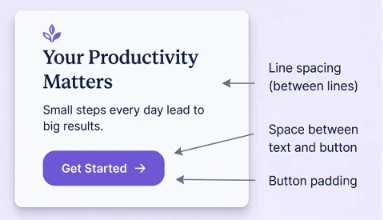
2. Micro White Space
On a more granular level, micro white space is the subtle spacing between smaller elements, such as lines of text, images, and buttons. This kind of padding is often stated as rules or guidelines in a design library set at the start of the project to ensure consistency is maintained. It aids in preventing visual clutter, making content more digestible, and enhancing readability.
3. Active White Space
This is the intentional use of whitespace to draw attention to a specific element. By isolating an element using surrounding negative space, designers can highlight the importance of the element, killing any noise around it. This, in turn, helps guide the viewer’s focus to what matters the most in the section of the interface.

4. Passive White Space
Unlike intentional white spaces, passive white space is naturally created in areas such as between words, line breaks, around graphic elements like logos, etc. It passively gives the user visual breaks in between the body of content on the screen.

By defining kinds of white spaces, we document the elements that together help make white spaces across interfaces. They range from smaller elements such as letter and line spacing to bigger elements such as margins, paddings, and gutters around the content.
Value
Value, also called tone, is how light or dark an element is. It has nothing to do with price. The moment you place anything on a blank canvas, in print or on the web, that element has a value. Color and value are closely linked, but a design can exist without color, while every design has value.
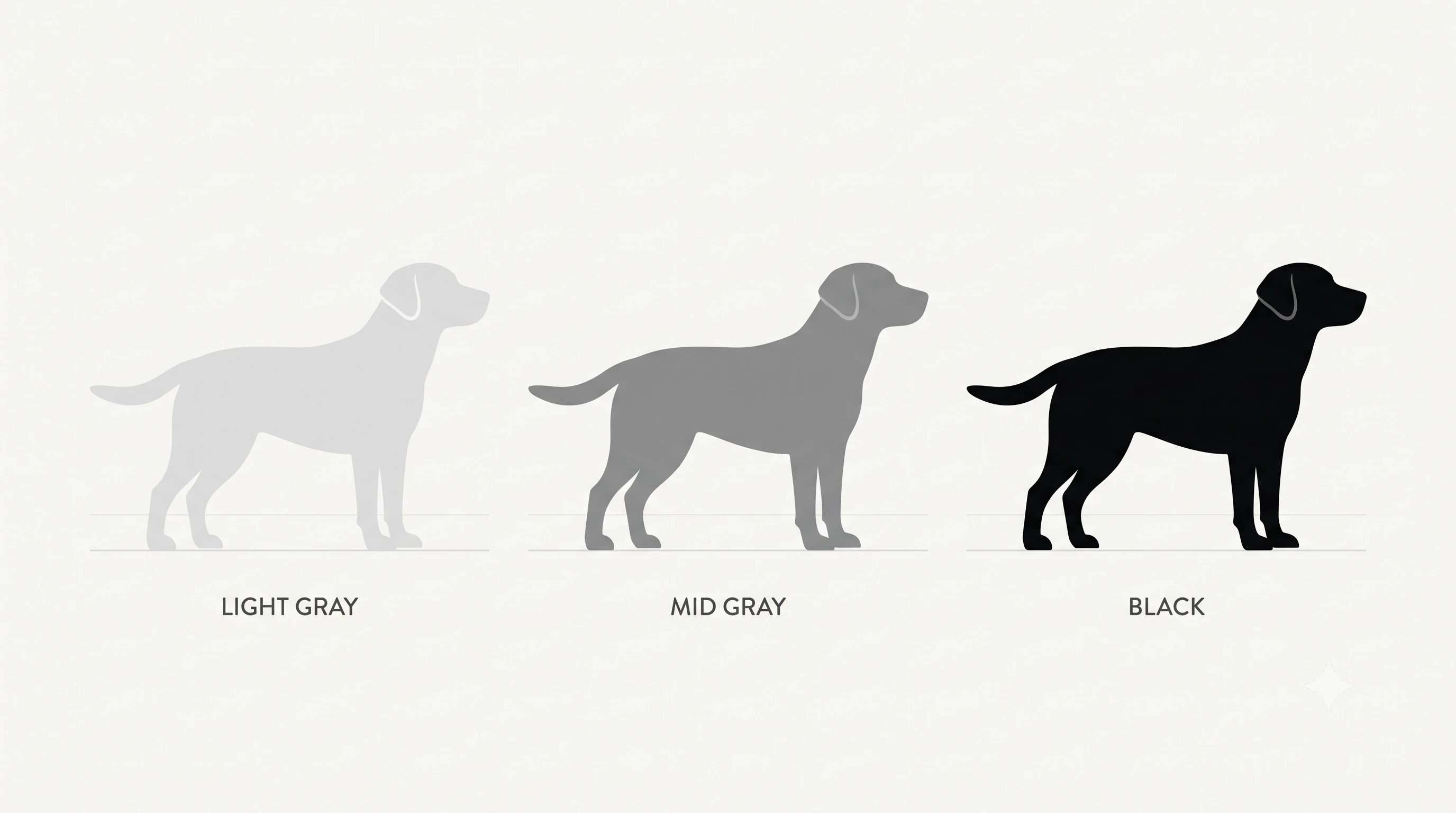
Take three silhouettes of the same dog, one light gray, one mid gray and one black. Each gives a different impression. The pale one might seem blond, or half lost in fog, while the black one looks solid and sharp.
Value is relative
On a light background, every element sits somewhere between 1% black and 100% black. On a black background the scale flips and runs from 1% white to 100% white. So value is never absolute. An element only reads as light or dark compared with the elements and the background around it.
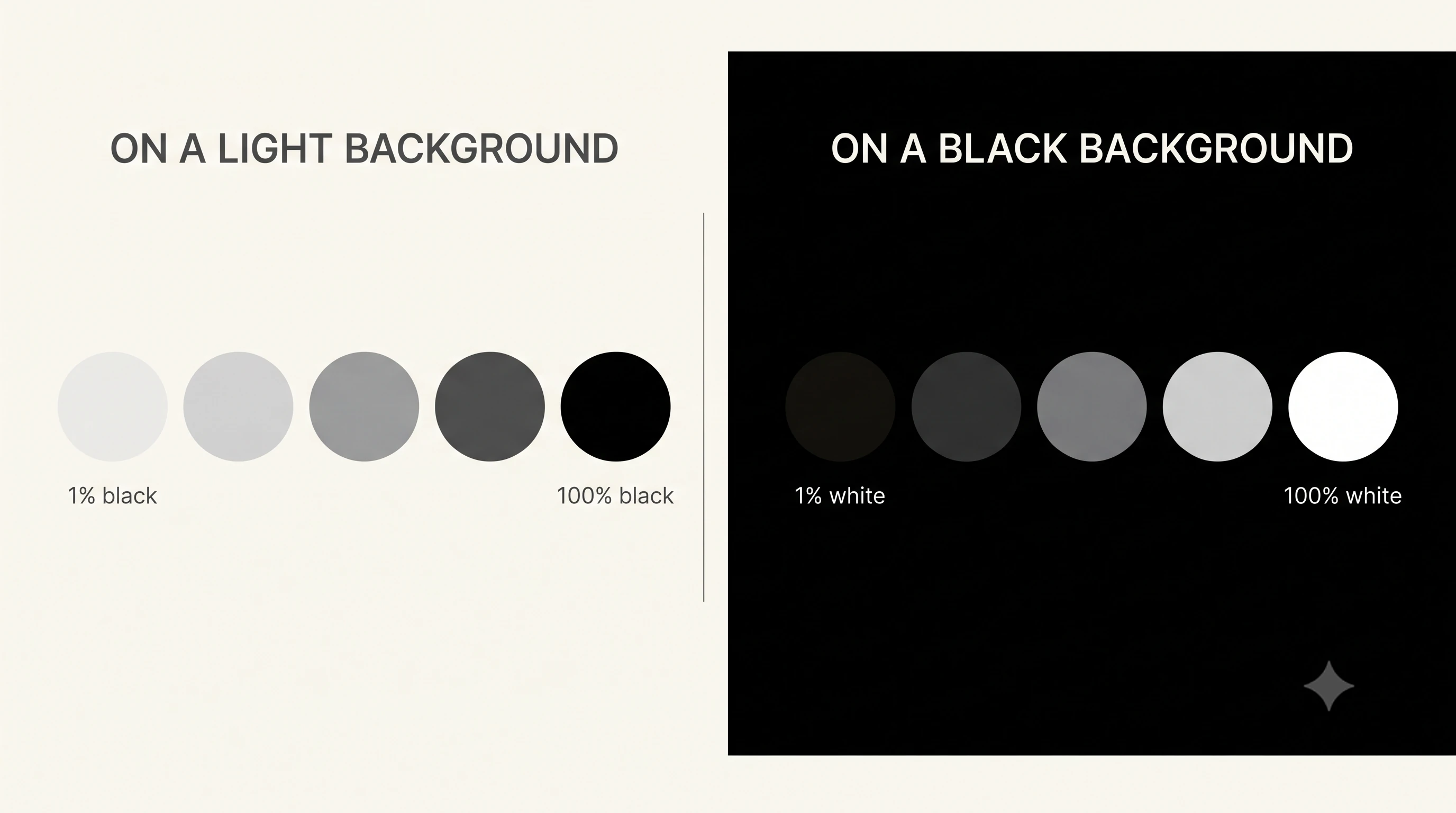
The same idea on black. Each shape’s value depends on the others and on the background behind it. The bigger the gap between an element’s value and its background’s value, the stronger the contrast. That makes value one of the most powerful tools for shaping the look and feel of a design.
Value and color
Color matters a great deal, but the best designs do not depend on it alone. A good design should work in black and white first. Some color combinations look striking on screen and then lose their effect once the color is removed, because the colors share almost the same value. Ask yourself whether the design still holds up in a newspaper or on a fax.
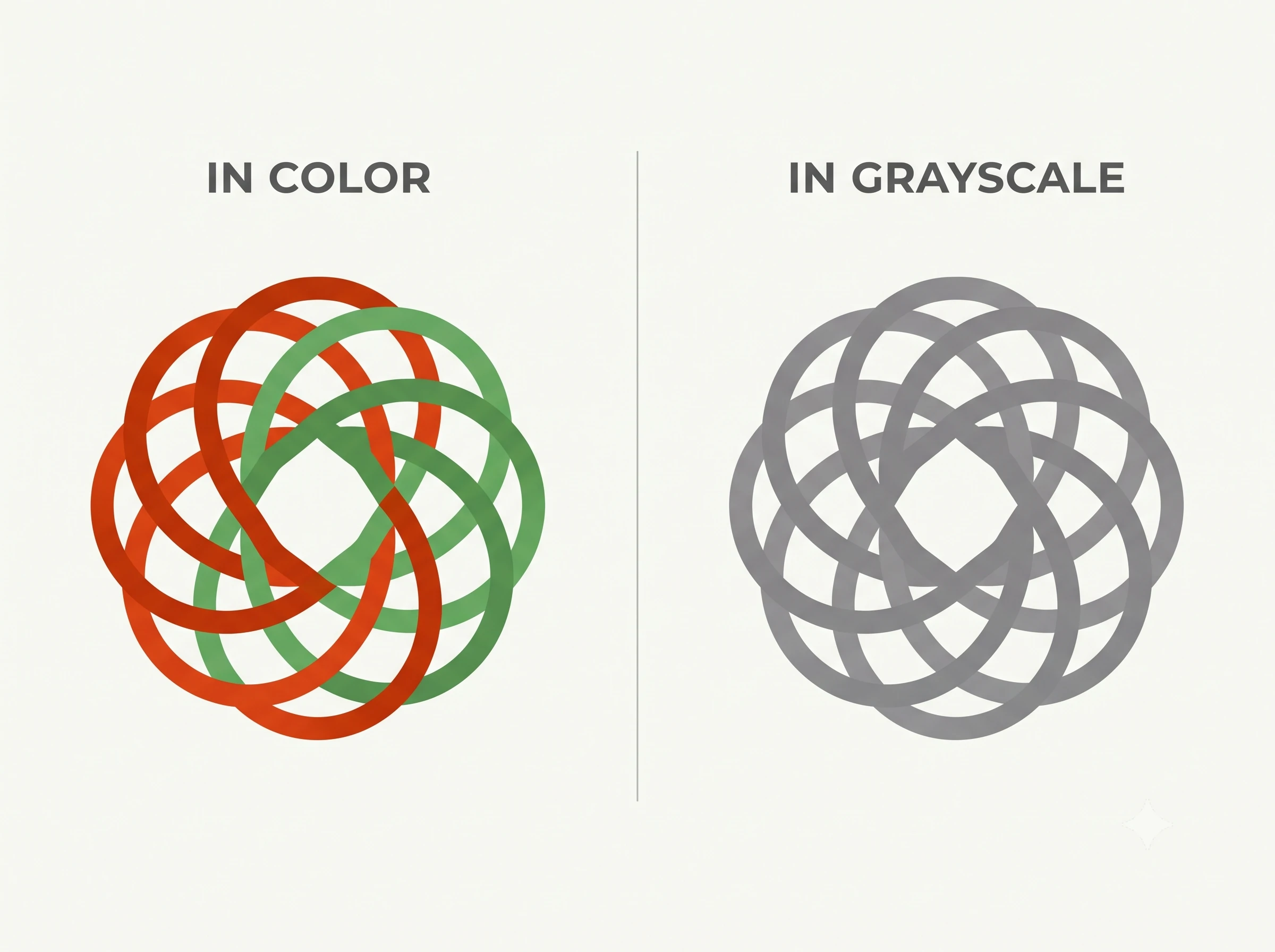
This first logo looks good in color, but much of the effect disappears in grayscale, because its two colors share almost the same value. The logo looks weak.
This second logo may look a little less vibrant in grayscale, but it still holds up well, because its parts differ clearly in value.
You could argue that a design made only for the web does not need to survive grayscale, and that is fair. Still, always test how your design looks in one color. Would it fall apart in a newspaper or on a fax?
Value for emphasis
Value can be used for emphasis. A film poster, for example, can show two clasped hands and let the light and dark tones of the fingers provide the contrast. As noted earlier in this series, design principles rarely work in isolation. That poster also uses balance and repetition to stay eye-catching.
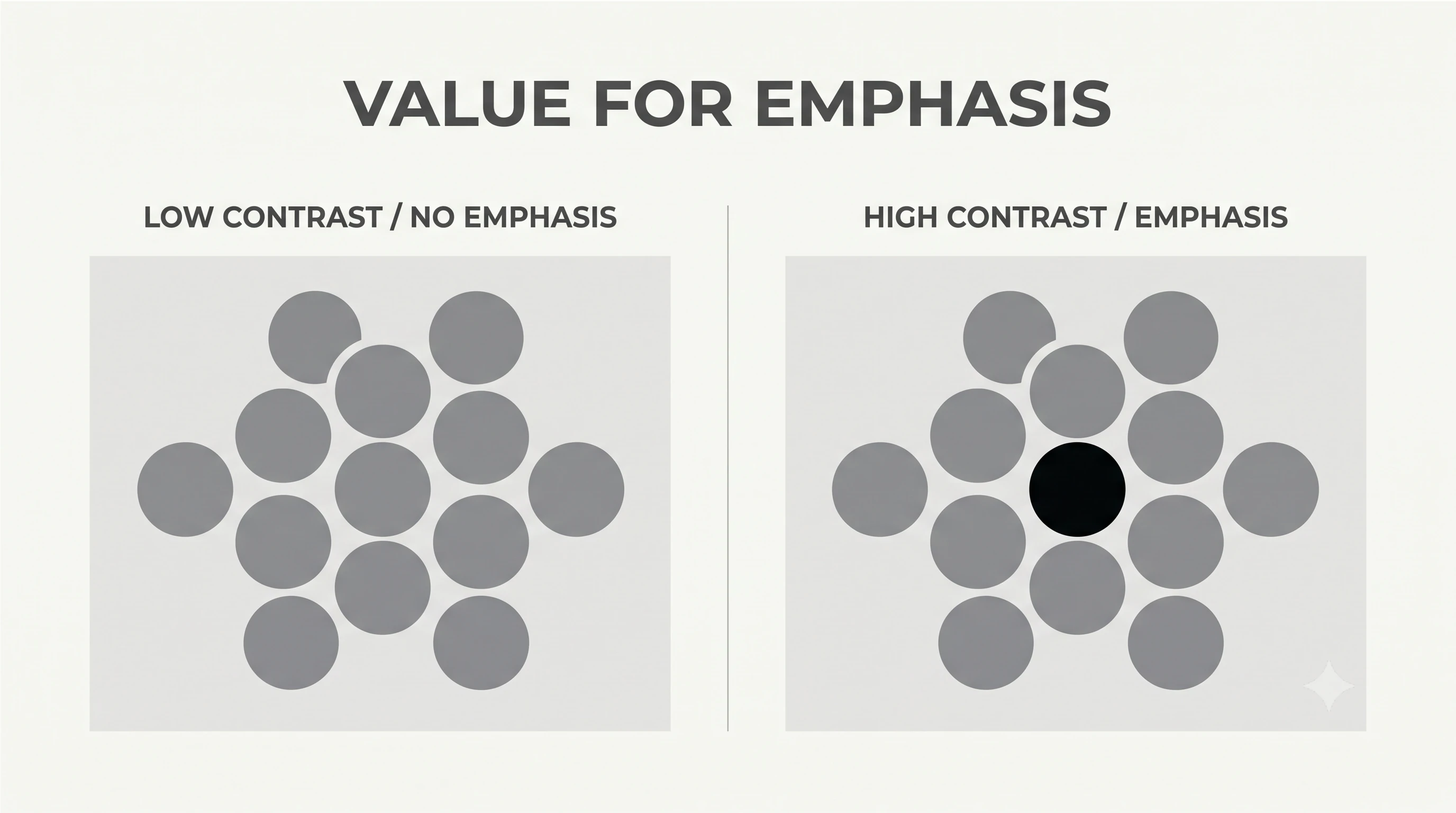
A website can use the same idea by pairing large, dark photo backgrounds with light text, so the words read clearly against the image.


